


Why does Music Start Playing Randomly in My Ford? [2025]
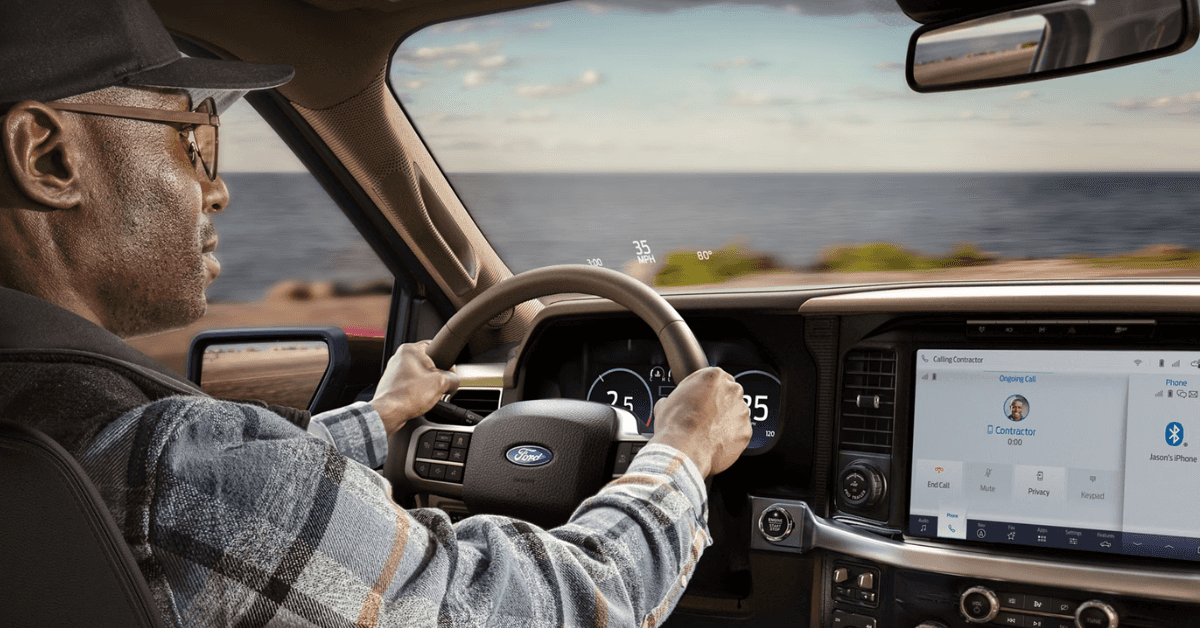
Ever been cruising through Hayesville, only to suddenly hear music blaring from your Ford—without you touching a thing?
It’s a strange, often frustrating experience that many Ford drivers have encountered.
Whether you’re driving a rugged F-150, a family-friendly Escape, a tech-savvy Explorer, or the adventurous Bronco, the random start of music can catch you off guard.
So, why does it happen? Is it a glitch in the system, or something more? The good news is, you’re not alone, and most of the time, it’s a fixable issue.
Keep reading as we break down the causes behind this perplexing problem and offer simple solutions.
And if you’re still hearing those unexpected tunes, don’t hesitate to visit or contact Jacky Jones Ford of Hayesville.
Our expert team is ready to help you get your Ford back to smooth sailing!
The Mystery of Music That Starts Playing Randomly in Your Ford
It’s a strange feeling. You’re driving down the road, enjoying the quiet, when suddenly, music blasts from your Ford’s radio. It’s not something you planned. You didn’t press play. So, why is your Ford radio starting randomly?
This issue is more common than you might think. It can happen in any Ford vehicle, from the rugged F-150 to the versatile Escape.
The music might start out of nowhere, even if you haven’t touched the radio. This can be annoying and confusing. You just want to drive without the surprise soundtrack.
Many drivers are left wondering if their Ford’s radio is broken. But don’t worry, it’s not usually a sign of a big problem.
In most cases, it’s a simple issue with how the system works. It could be a Bluetooth setting, a USB connection, or even a voice command that was accidentally triggered.
We’ll explore the reasons behind this and show you how to fix it. Understanding why the radio starts randomly can help you prevent it from happening again.
Let’s dive into the main causes.
Understanding the Role of Ford’s Infotainment System
Ford’s infotainment system is at the heart of your driving experience. It connects your phone, plays music, and controls your radio.
When everything works right, it’s a smooth and helpful tool. But sometimes, things go wrong, and music turns on when driving, even when you didn’t touch a button.
This system works through Bluetooth, USB ports, and voice commands. If you drive a Ford Escape, you’ve probably used these features to play your favorite tunes or get directions.
The system automatically connects to your devices when you start the car. This makes it easy to play music, but it can also cause the radio to start randomly.
One common cause of this is Bluetooth. When you connect your phone, it can start playing music as soon as the connection is made.
It’s a convenient feature, but it’s not always welcome when it happens out of the blue.
USB devices can also cause the radio to start, especially if they are not properly connected or have corrupted files.
Understanding how Ford’s infotainment system works can help you prevent unexpected music from starting.
Whether it’s a Bluetooth connection or an app on your phone, there are simple fixes.
Let’s explore how to address these issues and keep your drive peaceful.
Bluetooth Connectivity: Why It Can Trigger Music Playback
Bluetooth is a helpful tool in your Ford. It allows your phone or other devices to connect easily to your car.
But sometimes, Bluetooth causes Ford radio issues, like music playing when you didn’t press anything.
If you drive an Explorer, you might have seen this happen more than once.
When your phone connects to your car, it can trigger automatic music playback. This is especially true if your music app starts playing as soon as Bluetooth is connected.
It’s a feature that can be handy, but it can also be a bit too eager at times.
Another issue with Bluetooth is interference. Sometimes, a weak signal or device interference can confuse the system.
This can lead to your Ford radio starting randomly. It might even skip songs or switch between apps on its own.
The good news is that you can control this. First, check your phone’s Bluetooth settings. Make sure that automatic media playback is turned off.
If the problem persists, try unpairing and repairing the Bluetooth connection. This can reset the system and fix any glitches.
By adjusting your settings, you can stop Bluetooth from causing unwanted music playback in your Explorer.
With a few simple steps, you can enjoy a quiet drive without unexpected music.
USB Device Malfunctions: The Hidden Culprit
If you’ve ever connected a USB device to your Ford, you know it can be a great way to play music.
However, sometimes, a faulty USB device can cause the Ford radio to start randomly. If you drive a Bronco, you may have experienced this before.
When you plug in a USB drive or phone, it can trigger your radio to start playing music automatically.
But if the files on the USB drive are corrupted, or the connection is weak, the system can misbehave. This can lead to the radio starting up when you didn’t expect it.
Another issue can be the USB port itself. Over time, these ports can wear out, causing a bad connection.
A faulty connection can lead to the Ford radio starting randomly or even skipping through songs.
To fix this, start by checking your USB cable. Ensure it’s in good condition and properly connected.
You can also check the files on your USB device. Make sure they are not corrupted or incompatible with the system.
If the problem continues, try using a different USB port in your Bronco.
By addressing these simple issues, you can stop unexpected music from playing and enjoy your drive without interruptions.
Voice Command Glitches: When Your Ford Hears Things It Shouldn’t
Voice commands are a great feature in your Ford. They allow you to control your radio, make calls, and more.
But sometimes, your Ford can misunderstand what you say. This can cause the Ford radio to start randomly or behave in ways you didn’t expect.
If you drive an F-150, you might have experienced this glitch. Your Ford’s voice command system is designed to respond to your voice.
However, if there’s background noise or an unclear sound, the system might misinterpret it. A small noise or accidental word can cause your F-150 to start playing music.
Another issue is a dirty or blocked microphone. If the mic can’t hear your commands clearly, it may pick up sounds it shouldn’t. This can lead to the radio turning on without your input.
To fix this, first check your microphone. Clean it if needed, and make sure it isn’t blocked.
You can also try saying commands more clearly or adjusting the system’s sensitivity. If the problem continues, resetting the voice command system can help fix any issues.
By understanding these voice command glitches, you can reduce the chances of the radio starting randomly.
Software Bugs: Why Your Ford’s Infotainment System Might Misbehave
Like any other tech, your Ford’s infotainment system can run into problems. Sometimes, it’s not the connection or settings.
It’s a software bug that causes the system to act up. If you drive an Escape, you might have noticed this happen more than once.
A software bug can cause many issues, including the Ford radio starting randomly. It may even cause music to turn on when driving, even if you didn’t touch anything. These bugs can happen when the software gets outdated or isn’t running smoothly.
If your system is outdated, it might be more prone to errors. These issues can also occur after updates, especially if they aren’t installed correctly.
To fix this, check for software updates in your vehicle’s settings. Ford regularly releases updates to improve system performance and fix bugs.
If the issue persists after updating, try resetting the system. This can often clear out any software glitches causing problems.
By keeping your software up to date, you can help your Escape’s infotainment system run smoothly.
A quick check for updates could stop the radio from turning on unexpectedly.
App-Related Interference: Could Your Phone Be the Problem?
Many drivers don’t realize that apps on their phone can cause Ford radio issues. If you drive an Explorer, this might be affecting your car’s system.
Some apps, like music or podcast apps, can control your radio. If they’re set to auto-play, your radio might start up on its own.
Certain apps can also send signals to your car, even when you aren’t using them. This can lead to unexpected music or sounds starting without warning. It’s not always easy to tell which apps are causing the issue.
The most common culprits are music apps, streaming services, or even navigation apps.
These apps may try to play media as soon as they connect to your Ford’s system. This can be especially frustrating if you’re not using them at the time.
To fix this, start by checking your phone’s apps. Look for any that have media control and adjust their settings.
You may want to disable auto-play or permissions for some apps. If needed, you can uninstall apps that are causing interference.
By managing your apps carefully, you can prevent them from causing unwanted music in your Explorer. It’s a simple step that could save you from a noisy drive.
Environmental Factors: How Outside Interference Affects Your Ford’s Audio System
Sometimes, the cause of your Ford radio starting randomly isn’t inside the vehicle at all.
Environmental factors, like nearby electronic devices or structures, can interfere with your car’s audio system.
If you drive a Bronco, you might notice this more in certain areas.
Strong electromagnetic signals from nearby towers, power lines, or even other vehicles can affect your car’s electronics.
This can cause your Ford radio to start randomly or behave oddly. The issue is often temporary and linked to your surroundings.
Another possible issue is radio frequency interference (RFI).
This happens when nearby equipment, like radio towers or construction sites, sends out signals that disrupt your car’s system. This can cause unexpected music playback, especially in areas with heavy tech equipment.
To reduce interference, try driving in different locations to see if the issue continues. If it happens only in certain places, the cause is likely external.
If the problem persists in various locations, it’s a good idea to consult with a Ford technician.
They can help you diagnose the issue and prevent future disruptions in your Bronco’s audio system.
User Error: Accidental Activation of the Audio System
Sometimes, the cause of your Ford radio starting randomly is simple: user error. You might accidentally activate the audio system without realizing it.
If you drive an F-150, this could happen when you’re getting in or out of the truck.
The radio can turn on if you press a button by mistake or if your finger accidentally taps the screen.
It’s easy to overlook small touches that trigger the system. If your F-150 is equipped with a touch screen, it’s possible to accidentally activate the radio.
Another issue is pressing the wrong button on the steering wheel or console. This can cause the radio to start playing even when you didn’t intend for it to.
To avoid this, get familiar with the audio controls in your F-150.
Check that buttons aren’t sticking or being pressed when you get in or out of your truck. This small adjustment can stop the radio from starting without your command.
By being aware of how the audio system works, you can prevent these small accidents from interrupting your drive.
When to Seek Help: Consulting Your Ford Dealership
If you’ve tried all the fixes and the problem still happens, it’s time to consult a professional. Sometimes, the issue isn’t something you can fix on your own.
If the music keeps turning on when driving, or the Ford radio starts randomly, it might need expert attention.
If you drive an Escape and the problem continues, don’t wait too long to get help. A professional can run diagnostics to find the real cause.
They’ll be able to check the infotainment system and correct any deeper issues.
At your Ford dealership, a trained technician can fix problems you may not be able to spot.
Whether it’s a software bug or an internal component, they’ll have the tools to help.
Consulting your Ford dealership is the best way to ensure that your radio and infotainment system work as they should.
They can solve the problem for good, giving you peace of mind on every drive.
FAQs: Why does Music Start Playing Randomly in My Ford
What causes unexpected music playback in Ford vehicles?
Unexpected music playback in Ford vehicles can be caused by Bluetooth connectivity issues, faulty USB connections, voice command misinterpretations, software bugs, or app-related interference.
Is random music playing a sign of a serious electrical problem?
Not usually. Random music playback is typically a minor issue, such as a software glitch, Bluetooth interference, or a setting malfunction. It’s unlikely to indicate a serious electrical problem.
How can I stop my Ford’s stereo from automatically starting?
You can disable automatic media playback in your Ford’s settings. Check Bluetooth and USB connection settings to ensure that they’re not set to auto-start music.
Could Bluetooth connectivity be causing random music to play?
Yes. Bluetooth connectivity can cause random music playback if the system automatically plays media upon connection or if there is interference from nearby devices.
Are certain Ford models more prone to spontaneous music playback?
Some Ford models, like the Explorer or F-150, may experience this issue more frequently due to the technology used in their infotainment systems. However, it can occur in any Ford with a modern audio system.
Can smartphone integration trigger unexpected music in my Ford?
Yes. Apps on your smartphone with media control permissions, such as music or navigation apps, can trigger unexpected music playback when connected to your Ford.
How do I reset my Ford’s infotainment system to stop random music?
You can reset your Ford’s infotainment system by going to the settings menu and selecting “Reset System.” If that doesn’t work, a dealership can assist with a more thorough reset.
Could a software glitch be responsible for random music playing?
Yes. Software bugs or outdated system software can cause random music playback. Ensuring that your system is up to date can resolve these issues.
Is there a way to disable automatic music resumption in Ford vehicles?
Yes. Most Ford vehicles allow you to disable automatic music resumption in the settings of your infotainment system. Check your system’s “media” or “Bluetooth” settings.
What should I check first when music starts playing unexpectedly?
Start by checking the Bluetooth and USB connections for any issues. Make sure no apps are causing interference and that the audio system settings are correct.
Do Ford’s voice assistant features cause random music playback?
Yes, voice command features can cause music to start unexpectedly if the system misinterprets background noise or accidental commands. Make sure the microphone is clean and the system is calibrated properly.
How can updates to my Ford’s system prevent random music issues?
Regular updates to your Ford’s infotainment software can fix bugs and improve performance, which may prevent issues like random music playback. Check for updates in the settings menu.
Are there common technical reasons for spontaneous music in Fords?
Yes, common causes include Bluetooth connectivity issues, faulty USB connections, voice command misinterpretation, and software glitches. Identifying and addressing these can resolve the problem.
Can external devices connected to my Ford trigger music playback?
Yes, devices connected via Bluetooth or USB can trigger music playback. Check if your phone or another device is set to auto-play or if there’s interference from external sources.
What diagnostic steps can I take to identify the music playback issue?
Start by checking your phone’s connection settings and USB ports. If you’re still unsure, try resetting your system or consult with a Ford technician for a more thorough diagnosis.
Does Ford offer support for random music playback problems?
Yes. If the issue persists, your local Ford dealership or service center can assist with diagnosing and fixing random music playback problems in your vehicle.
Could my key fob or remote start be causing music to play?
It’s unlikely that your key fob or remote start is causing the radio to play. However, it’s always worth checking if any buttons are accidentally being pressed when you unlock or start the vehicle.
Are older Ford models more likely to experience this issue?
Older Ford models may be more prone to random music issues due to outdated technology or older infotainment systems. However, newer models can experience similar problems if the system isn’t properly maintained.
How do I know if my car’s speakers are malfunctioning?
If the speakers are producing distorted sound, or if music randomly stops or starts, it might be a sign of a speaker issue. Check if the problem persists when using different media sources or consult a technician for a full inspection.
Can temperature or weather affect my Ford’s stereo system?
Yes. Extreme temperatures or weather conditions can cause electrical issues, including problems with the stereo system. If you notice the issue only in certain weather conditions, it could be related to environmental factors.
Reach Out to Jacky Jones Ford of Hayesville for More Information
If you’re still wondering about why the music starts playing randomly in your Ford, don’t hesitate to reach out to us at Jacky Jones Ford of Hayesville.
Our expert team is here to help you with any Ford radio issues and ensure that your vehicle is running smoothly.
Whether you’re driving an F-150, Escape, Explorer, or Bronco, we’ll guide you through any concerns.
Located in Hayesville, we’re proud to serve our community and the surrounding areas, including Murphy.
If you’re looking for a new vehicle, we have a wide selection for you to explore.
The 2025 Ford Escape is perfect for adventure, and the F-150 is a true workhorse.
If you’re more into rugged off-road adventures, the Bronco or Explorer might be just what you need!
While you’re here, check out some of our other helpful content. Read about “Famous Movies Featuring Ford Trucks,” discover “Summer Activities Near Hayesville,” or learn about the “2025 Ford Escape.”
Need more help? Contact us today or schedule your service at Jacky Jones Ford of Hayesville!
We’re happy to assist with any questions and help you find your perfect Ford.

0 comment(s) so far on Why does Music Start Playing Randomly in My Ford? [2025]