


Going Hands-Free: How to Use Ford’s BlueCruise
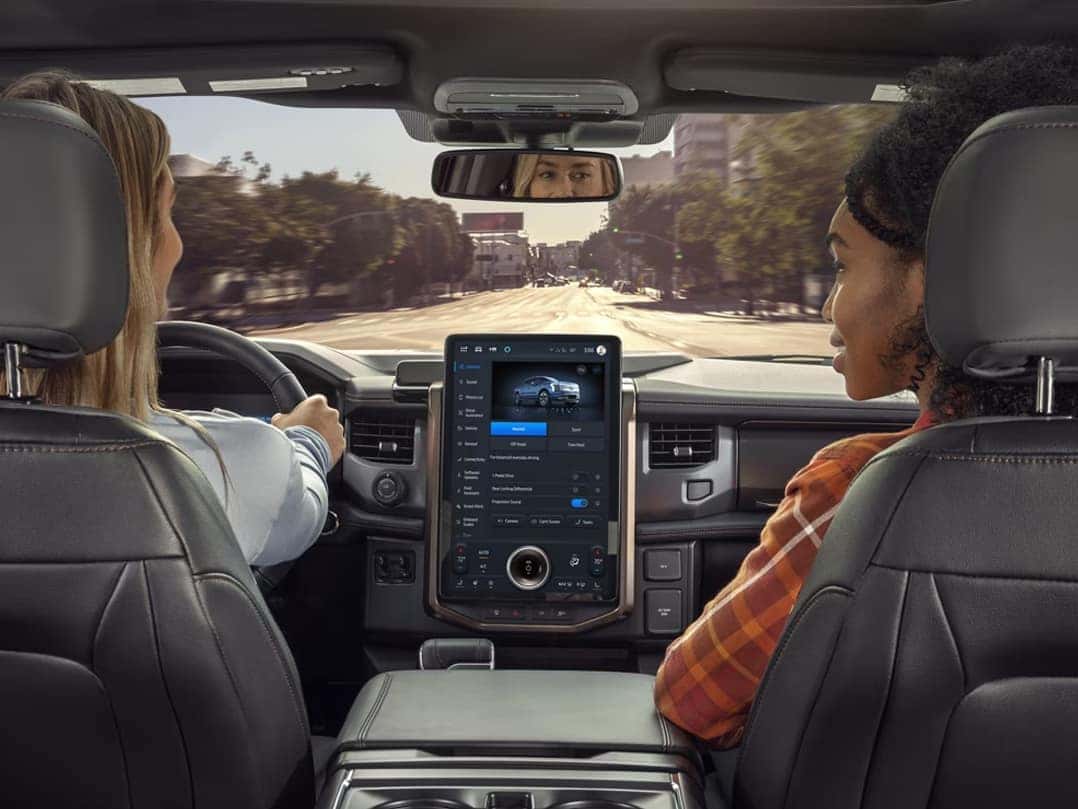
Imagine cruising down the highway with your hands off the wheel, your Ford doing the heavy lifting—all while you stay focused and confident behind the wheel. That’s the power of Ford BlueCruise. As Ford’s cutting-edge hands-free driving technology continues to evolve in 2025, BlueCruise is transforming how we experience the road, combining comfort, control, and advanced safety features like never before. Whether you drive a Ford F-150, Explorer, or Expedition, knowing how to use Ford BlueCruise can make every commute or road trip through North Carolina’s scenic routes smoother and less stressful. Ready to take driving to the next level? Visit or contact Jacky Jones Ford of Hayesville—your trusted source for the latest Ford innovations near Brasstown, Murphy, and Franklin.
Step-by-Step: How to Use Ford BlueCruise in 2025 Models
A Simple Guide for Hands-Free Driving in Your 2025 F-150 and More
Driving hands-free is no longer a dream—it’s here, and it’s simple to use. Whether you’re behind the wheel of a 2025 F-150 or another Ford, BlueCruise makes the process smooth and stress-free. Here’s a clear guide to help you get started on the road.
1. Make Sure You’re in a Blue Zone
Ford BlueCruise only works on mapped highways. These are called Blue Zones—pre-approved roads that allow hands-free use. You’ll see a prompt on your dash when you enter one.
2. Turn on BlueCruise in the SYNC System
Before you drive, check your settings. Use the SYNC screen to enable the right features. Follow these steps:
- Tap Settings
- Go to Driver Assistance
- Select Adaptive Cruise Control
- Turn on Lane Centering with Hands-Free
This setup takes less than a minute.
3. Activate While Driving
Once on the road in a Blue Zone, look for a sign in the dash that BlueCruise is ready.
- Press the Adaptive Cruise Control button on the wheel
- The dash screen will turn blue
- A Hands-Free icon will light up
That’s it—your vehicle will now keep its lane, steer, and keep speed for you.
4. Stay Alert
Even when BlueCruise is active, your eyes must stay on the road. The system has a built-in camera that tracks eye movement. If you look away too long, it will ask you to take back control.
5. When BlueCruise Turns Off
There are a few times when the system will stop:
- You press the brake
- You move the wheel
- You leave a Blue Zone
- You stop paying attention
If this happens, you’ll need to drive on your own again until the system is ready.
This hands-free tech brings ease and calm to your drive—especially during long trips through the hills near Hayesville. In trucks like the 2025 F-150, it’s built for real use, not just tech fans. Stay safe, stay alert, and let your Ford help do the work.
Going Hands-Free with Confidence: What Is Ford BlueCruise and How Does It Work?
A Simple Look at the Tech That Drives the 2025 Explorer Forward
Ford BlueCruise is a hands-free driver aid made for highways. It works on roads called Blue Zones—more than 130,000 miles across the U.S. and Canada. With the 2025 Explorer, this system helps you drive with less stress and more ease.
It’s not self-driving. Instead, it’s what experts call a Level 2 system. That means the car can steer, speed up, and slow down. But you still need to stay alert and keep your eyes on the road.
Here’s how it all works behind the scenes:
The Tech That Makes BlueCruise Work
BlueCruise blends a few key tools to help you drive hands-free:
- Radar and cameras: These scan the road and watch lane lines and cars
- Lane-centering tech: This keeps your Explorer in the middle of your lane
- Adaptive cruise control: This keeps a safe gap between you and the car ahead
- Infrared camera: This watches your face and eyes to make sure you stay alert
- HD map system: This confirms you’re on a Blue Zone road
When all these tools work together, the car can guide itself on the highway. You don’t need to touch the wheel—but you do need to be ready to take over.
What You’ll See When It’s On
When BlueCruise is active, your dash screen turns blue. A symbol appears to show you it’s working. You’ll feel the car hold the lane and adjust speed as needed.
If the system senses that you’re not paying attention, it will give a warning. It might beep or flash a message. If you still don’t respond, it will turn off the hands-free mode.
A Built-In Safety Net
While BlueCruise makes long trips easier, safety comes first. This system is built to help—not to replace your judgment.
This is why so many drivers feel safe using it. The Explorer, with its calm drive and clear dash, is a great fit for this tech. It even supports features like lane change assist and in-lane repositioning.
If you want a clear BlueCruise tutorial, ask your Ford dealer. Many now offer in-car guides and setup help. It’s a great way to build trust in the system before hitting the road.
With smart tools and a simple setup, BlueCruise brings a new level of calm to every trip.
What’s New for 2025: Ford BlueCruise Version 1.4 Updates
A Smarter Drive in the 2025 Expedition
The 2025 BlueCruise update (version 1.4) makes driving even easier. Whether you’re in the new Expedition or another model, this version gives you more control with less effort.
Here’s what’s better in version 1.4:
- Stays in the lane better, even on curves
- Hands-free time lasts longer
- Works better in rain or low light
- Handles turns more smoothly
- Updates wirelessly, no trip to the dealer
These upgrades help take the stress out of long trips.
Other useful features still included:
| Feature | What It Does |
| Lane Change Assist | Helps switch lanes safely |
| In-Lane Repositioning | Moves away from nearby cars |
| Predictive Speed Assist | Slows down before curves or speed zones |
If you’re learning how to use Ford BlueCruise in 2025 models, version 1.4 makes it easier than ever to go hands-free.
BlueCruise Features That Make Driving Smoother and Safer
Smart Tools Working in the Background
If you’re wondering, “What is Ford BlueCruise and how does it work?”—the answer is simple. It’s a smart tool that makes highway driving easier. Whether you’re in the F-150 or another Ford model, it helps steer, brake, and keep speed without you touching the wheel.
Here are the key features that keep things smooth and safe:
- Lane-Centering Assist
Keeps your truck in the middle of your lane, even around soft turns. - Adaptive Cruise Control
Adjusts speed to keep space between you and the car ahead. - Hands-Free Mode
Kicks in on pre-mapped roads, so you don’t have to steer or brake. - Driver Alert System
An in-cabin camera makes sure you stay focused. If you look away too long, it gives a warning. - Speed Assist
Slows down the vehicle ahead of curves or speed limit changes. - Lane Change Assist
Helps move into the next lane when it’s safe—no need to touch the wheel.
Ford designed these tools to help with long drives and traffic. With the F-150 and BlueCruise working together, every mile feels lighter and safer.
Which Ford Vehicles Offer BlueCruise in 2025?
Find It in Trucks, SUVs, and EVs
Ford BlueCruise is now in more vehicles than ever before. In 2025, it’s not just for luxury models or high-end trims. You can find it in trucks, SUVs, and electric cars. From daily drives to long trips, these vehicles make hands-free travel simple and safe.
Here are some of the 2025 models that offer this feature:
- F-150 – Great for work or play. BlueCruise adds ease to long drives and busy roads.
- Expedition – A full-size SUV with room, tech, and smart drive help.
- Explorer – Packed with safety and comfort, perfect for family trips.
- Mustang Mach-E – All-electric power meets hands-free driving.
- Edge – A midsize SUV with the latest tech and comfort.
- Lightning – An electric truck with bold power and smooth control.
- Nautilus – A luxury SUV under the Lincoln name, built for calm, easy drives.
Ford keeps growing the list. Many of these come with a trial or offer it as an upgrade. If you’re not sure how to get started, your local dealer can help set it up. Whether you drive the F-150 or another Ford model, BlueCruise adds peace of mind on the road.
BlueCruise Pricing and Subscription Options
What You Need to Know Before You Subscribe
Ford makes it easy to try out BlueCruise before you buy. Most new vehicles with the system come with a trial.
Here’s a quick look at how pricing and plans work:
- Free trial: Most models, like the Explorer, come with a 90-day or 3-year trial. Length depends on the trim and plan.
- Annual plan: About $800 per year after the trial.
- Monthly plan: Around $75 per month.
Some drivers only need it for road trips. Others want it year-round. You can choose what fits your drive style and budget.
You can check your plan and update it from your Ford account or with help from your local dealer.
If you’re unsure how to start, a quick BlueCruise tutorial from your Ford expert can help you set it up and drive with ease.
Where and When BlueCruise Works Best
Ideal Driving Conditions for Hands-Free Travel
BlueCruise is built for smooth and safe rides on the highway. It works best in places where roads are wide and clear.
To use Ford BlueCruise in 2025 models like the Expedition, you must be in a “hands-free zone.” These are pre-mapped areas called Blue Zones.
Here’s when BlueCruise gives you the best drive:
- On major highways: Interstates and wide state roads work best.
- In good weather: Clear skies, dry roads, and daytime give the best results.
- With steady traffic: Light to medium traffic is ideal for system use.
- At cruising speeds: Best between 45 and 80 mph.
You’ll know it’s ready when your screen shows a blue light. If the system turns off, keep your hands on the wheel and take over.
Using this system in the right place and time helps keep your drive smooth and safe.
Recognitions and Awards: Why BlueCruise Stands Out
Trusted by Experts, Loved by Drivers
Ford BlueCruise has earned top praise from experts and drivers across the country. It’s not just smart—it’s proven.
Here are a few reasons it stands out:
- Top Driver Assist Tech – Named by Consumer Reports for its ease and safety.
- Best Hands-Free System – Praised by industry leaders for smooth lane help and brake control.
- High Marks in Safety – Recognized by IIHS and NHTSA in their reviews of new tech.
In trucks like the F-150, these wins matter. They show the system isn’t just good—it’s ahead of the curve.
Ford’s goal is to build tech that works in real life. These awards show they’re doing just that.
Helpful Resources to Learn More About Ford BlueCruise
Simple Tools to Help You Get Started
Want to get the most from your hands-free drive? There are many easy ways to learn more, whether you’re new or just need a refresher.
Here are a few great places to begin:
- Owner’s Manual – Look for the section about hands-free driving. It breaks down each part step by step.
- Official Ford Videos – These show how it works in real time and give a full BlueCruise tutorial for models like the Explorer.
- In-Car Help Menu – Your screen has built-in tips and short videos. Just tap the info icon to start.
- Ford Support Website – Visit the help page for updates, safety info, and setup help.
- Your Local Ford Dealer – Get live help and tips from the team at Jacky Jones Ford of Hayesville.
Each tool is made to help you feel at ease. With a little time, you’ll know just how to use it.
Frequently Asked Questions About Ford’s BlueCruise
Many drivers have questions before they try a new hands-free feature like Ford BlueCruise. These quick answers can help you feel more confident and ready to get started.
Is BlueCruise fully self-driving?
No, BlueCruise is not fully self-driving. It allows hands-free driving on pre-mapped highways but still requires driver attention.
Do I have to pay extra for Ford BlueCruise?
Yes, BlueCruise usually requires a subscription after a trial period. Prices may vary by model and plan.
How do I know if I’m in a BlueCruise zone?
Your vehicle will alert you when you’re in a BlueCruise zone. These zones are on certain divided highways.
Can I use BlueCruise in the city or on rural roads?
No, BlueCruise only works on specific mapped highways. It does not function on city streets or small country roads.
Does Ford BlueCruise require an internet connection?
No, BlueCruise does not need a constant internet connection to work, but updates and map data may use it.
Ready to Learn More? Visit Jacky Jones Ford of Hayesville Today
Hands-free help on the road is just one of many smart features Ford drivers can enjoy. If you’re near Brasstown, Murphy, or Franklin, we invite you to visit Jacky Jones Ford of Hayesville. Come see our wide range of vehicles, including the F-150, Explorer, and Expedition. Our team is here to answer your questions and help you choose the right model.
Want to learn more about charging your Ford at home or while on the go? You can read our guide on home and public charging options for Mustang Mach-E owners. If you’re trying to solve tech issues in your car, we’ve also covered why your music might start playing by itself in a Ford.
Thinking about a smaller truck? See how the new Ford compares in our 2025 Ranger vs Toyota Tacoma pickup comparison.
We’re here to help, whether you’re curious about hands-free tech or picking out your next ride. Keep browsing our site to learn more.

0 comment(s) so far on Going Hands-Free: How to Use Ford’s BlueCruise